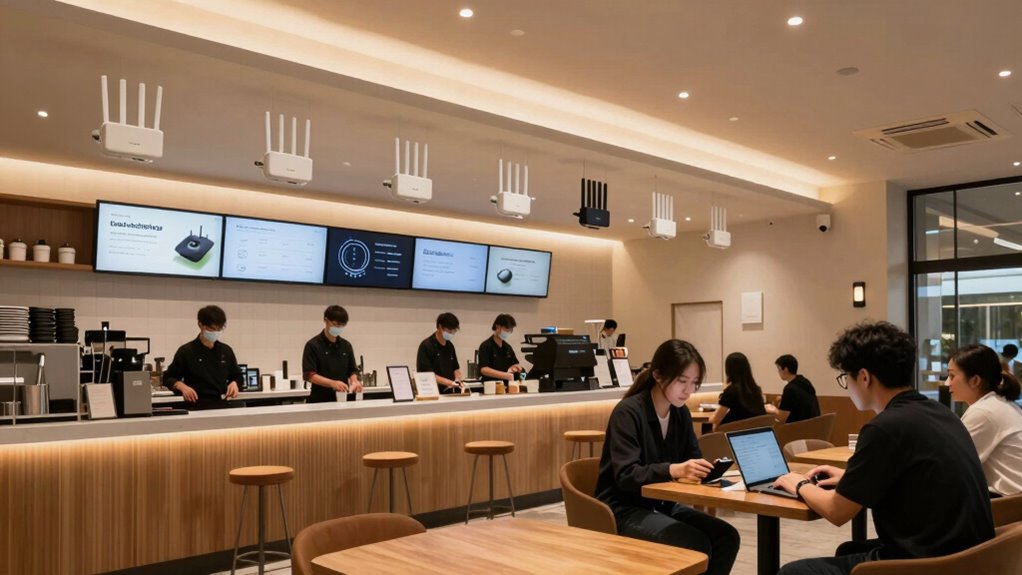

For most cafés, I’d put the TP-Link Omada EAP650 first: it balances Wi-Fi 6 capacity with ceiling-mount flexibility and centralized management. The ASUS ExpertWiFi EBM68 is a more approachable mesh choice for owners who want simpler deployment, while the Cisco Meraki MR46 suits operators who prioritize managed network controls. The main tradeoff is between easy setup and the finer control of a multi-access-point system, alongside newer Wi-Fi performance and the cost and complexity of supporting it. Coverage, guest access, staff devices, and the café’s layout matter as much as headline speed. Read on for the full breakdown and help matching a system to your space.

Get baking supplies delivered free with Prime
- Fast, free delivery on millions of items
- Prime Video, Amazon Music and more included
- Member-only deals all year
Complete the kit


Key Takeaways
- The Omada EAP650 stands out as the roundup’s balanced café pick: it combines Wi-Fi 6, a ceiling-mount design, and a path to managed access points without requiring a Wi-Fi 7 deployment.
- The ASUS ExpertWiFi EBM68 takes a different approach from the access points: its business mesh format favors simpler setup and flexible placement, but may offer less control than a centrally managed multi-AP network.
- Wi-Fi 7 models such as the Omada EAP772 and Fortinet FortiAP 231K target operators planning for newer client devices and higher capacity; many cafés may get more practical benefit from sound placement and Wi-Fi 6 coverage.
- The roundup includes both current access points and older Wi-Fi 5 options, including AC-Pro multipacks and the nanoHD; those can suit constrained or existing setups, but buyers should weigh their age and included mounting hardware.
- Management and ownership needs separate the enterprise-oriented choices: Meraki and Fortinet can fit operators seeking managed controls, while Omada and UniFi offer distinct ecosystems that call for their own compatible equipment and administration.
| TP-Link Omada EAP772 BE11000 Tri-Band Wi-Fi 7 Access Point |  | Best for High-Demand Cafés | Wi-Fi standard: Wi-Fi 7 | Bands and listed speeds: 6 GHz: 5760 Mbps; 5 GHz: 4320 Mbps; 2.4 GHz: 574 Mbps | Ethernet port: 2.5G | VIEW ON AMAZON | See Our Full Breakdown |
| Fortinet FortiAP 231K Tri-Band Wi-Fi 7 Indoor Access Point |  | Best for Fortinet-Centered IT | Model: FAP-231K-A | Wireless standard: Wi-Fi 7 (802.11be) | Frequency bands: 2.4 GHz, 5 GHz, and 6 GHz | VIEW ON AMAZON | See Our Full Breakdown |
| TP-Link Omada EAP650 AX3000 Wi-Fi 6 Ceiling-Mount Access Point |  | Best Balanced Wi-Fi 6 Pick | Wi-Fi generation: Wi-Fi 6 (802.11ax) | Maximum data rate: 2976 Mbps | Frequency bands: Dual-band | VIEW ON AMAZON | See Our Full Breakdown |
| TP-Link Omada EAP610 AX1800 Wi-Fi 6 Access Point |  | Best for Smaller Cafés | Model: EAP610 V2 | Wi-Fi standard: Wi-Fi 6 (802.11ax) | Wireless speed: Up to 1800 Mbps | VIEW ON AMAZON | See Our Full Breakdown |
| Ubiquiti Networks 6-Pack UAP-AC-PRO UniFi Access Point Enterprise Wi-Fi System |  | Best Multi-AP Coverage Kit | Model: UAP-AC-PRO-US (6-Pack) | Wireless standard: 802.11ac | Frequency bands: Dual-band | VIEW ON AMAZON | See Our Full Breakdown |
| TP-Link Omada EAP225 AC1350 Dual-Band Wireless Access Point |  | Best Value for an Omada-Based Café | Wireless standard: Wi-Fi 5 (802.11ac) | Wireless speed: Up to 1350 Mbps | Frequency bands: 2.4 GHz and 5 GHz | VIEW ON AMAZON | See Our Full Breakdown |
| Ubiquiti U6+ Dual-Band Wi-Fi 6 Wireless Access Point | 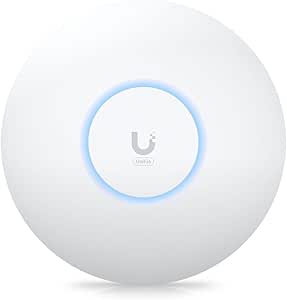 | Best Compact Wi-Fi 6 Upgrade | Wireless standard: 802.11a/b/g/n/ac/ax (Wi-Fi 6) | Frequency bands: 2.4 GHz and 5 GHz | Maximum upstream data rate: 3 Gbit/s | VIEW ON AMAZON | See Our Full Breakdown |
| Ubiquiti UniFi nanoHD 802.11ac Wave 2 MU-MIMO Access Point | 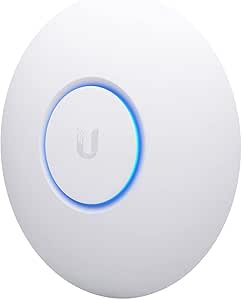 | Best for Dense Seating on an Existing UniFi Network | Wireless standard: 802.11ac Wave 2 (Wi-Fi 5) | Maximum data transfer rate: 1733 Mbps | Concurrent users: 200+ | VIEW ON AMAZON | See Our Full Breakdown |
| Ubiquiti UniFi AP AC Pro Dual-Band Wireless Access Point, 5-Pack |  | Best Multi-Zone Wi-Fi 5 Deployment | Pack size: 5 access points | Wireless standard: Wi-Fi 5 | Frequency bands: 2.4 GHz and 5 GHz | VIEW ON AMAZON | See Our Full Breakdown |
| ASUS ExpertWiFi EBM68 AX7800 Tri-Band WiFi 6 Business Mesh System |  | Best for Guest Wi-Fi and Flexible Mesh Expansion | Wi-Fi generation: Wi-Fi 6 | Frequency band class: Tri-band | Maximum data transfer rate: Up to 7,800 Mbps | VIEW ON AMAZON | See Our Full Breakdown |
| Cisco Meraki MR46 Indoor Wi-Fi 6 Access Point |  | Best for High-Density Cafés | Wireless standard: 802.11ax (Wi-Fi 6) | Radios: 2.4 GHz, 5 GHz, dedicated WIDS/WIPS, and Bluetooth | Aggregate frame rate: Up to 3.5 Gbps | VIEW ON AMAZON | See Our Full Breakdown |
| Ubiquiti UniFi UAP-AC-PRO Dual-Band Access Points, 6-Pack, Renewed, No Mounts Included |  | Best for Multi-Room Coverage on a Tight Infrastructure Plan | Quantity: 6 access points | Condition: Renewed | Wi-Fi standard: 802.11ac (Wi-Fi 5) | VIEW ON AMAZON | See Our Full Breakdown |
| commercial wi fi systems for caf%c3%a9 | Frequency bands | Wireless standard | Warranty |
|---|---|---|---|
| TP-Link Omada EAP772 BE11000 T | — | — | 5 years |
| Fortinet FortiAP 231K Tri-Band | 2.4 GHz, 5 GHz, and 6 GHz | Wi-Fi 7 (802.11be) | — |
| TP-Link Omada EAP650 AX3000 Wi | Dual-band | — | 5 years |
| TP-Link Omada EAP610 AX1800 Wi | Dual-band | — | 5 years |
| Ubiquiti Networks 6-Pack UAP-A | Dual-band | 802.11ac | — |
| TP-Link Omada EAP225 AC1350 Du | 2.4 GHz and 5 GHz | Wi-Fi 5 (802.11ac) | 5 years |
| Ubiquiti U6+ Dual-Band Wi-Fi 6 | 2.4 GHz and 5 GHz | 802.11a/b/g/n/ac/ax (Wi-Fi 6) | — |
| Ubiquiti UniFi nanoHD 802.11ac | — | 802.11ac Wave 2 (Wi-Fi 5) | 1 year |
| Ubiquiti UniFi AP AC Pro Dual- | 2.4 GHz and 5 GHz | Wi-Fi 5 | — |
| ASUS ExpertWiFi EBM68 AX7800 T | — | — | — |
| Cisco Meraki MR46 Indoor Wi-Fi | — | 802.11ax (Wi-Fi 6) | — |
| Ubiquiti UniFi UAP-AC-PRO Dual | 2.4 GHz and 5 GHz | — | 90-day limited |
More Details on Our Top Picks
TP-Link Omada EAP772 BE11000 Tri-Band Wi-Fi 7 Access Point
The Omada EAP772 is the strongest fit here for a busy café planning for newer devices, dense seating, and high wireless demand. Its tri-band Wi-Fi 7 design adds 6 GHz capacity, while a 2.5G port gives the wired connection more headroom than the 1 Gigabit port on the EAP650. That can matter when many customers and staff devices share the network, though real performance still depends on the internet service, wired network, and client devices.
Compared with the FortiAP 231K, the EAP772 offers a more clearly specified Omada management path and a five-year warranty, while Fortinet adds a faster 5 Gigabit port and BLE/ZigBee connectivity. The EAP772’s tradeoff is the extra deployment planning: its DC adapter is not included, and Wi-Fi 7 benefits require compatible client devices. I would choose it for a café investing in capacity, not for a small shop with modest traffic.
Pros:- Tri-band Wi-Fi 7 includes a 6 GHz band for added capacity with compatible devices.
- 2.5G Ethernet port offers more wired backhaul headroom than the EAP650’s 1 Gigabit port.
- PoE+ or DC power supports different installation layouts.
- WPA3, captive portal, and seamless roaming features suit a managed customer network.
Cons:- DC adapter is not included, so installations without PoE+ need another power solution.
- Wi-Fi 7 and 6 GHz advantages depend on compatible client devices.
- Its higher-capacity feature set may be unnecessary for a small café with modest network demand.
Best for: Cafés with crowded seating, newer Wi-Fi 7 client devices, and a 2.5G-capable wired network.
Not ideal for: Small cafés with light traffic or older client devices that cannot make use of Wi-Fi 7 and 6 GHz; the DC adapter is also a separate requirement if PoE+ is unavailable.
- Wi-Fi standard:Wi-Fi 7
- Bands and listed speeds:6 GHz: 5760 Mbps; 5 GHz: 4320 Mbps; 2.4 GHz: 574 Mbps
- Ethernet port:2.5G
- Maximum bandwidth:320 MHz
- Power options:PoE+ or DC; DC adapter not included
- Security and network features:WPA3, captive portal, seamless roaming
- Mounting:Ceiling mount
- Warranty:5 years
Our verdict“Choose the EAP772 for a high-traffic café building around Wi-Fi 7 capacity and 2.5G wired backhaul.”
Fortinet FortiAP 231K Tri-Band Wi-Fi 7 Indoor Access Point
The FortiAP 231K is the enterprise-leaning choice for a café already running Fortinet infrastructure or needing network monitoring beyond basic guest access. Its 24/7 background scanning checks the radio environment across all three bands, while the 5 Gigabit Ethernet port provides more wired capacity than the Omada EAP772’s 2.5G port. Built-in BLE and ZigBee can also support beacon or location-related deployments that the TP-Link options do not list.
This capability comes with a narrower audience. The FortiAP is designed for indoor enterprise use, and its value is less clear for an independent café seeking a straightforward access point rather than a managed Fortinet deployment. The EAP772 is a more approachable Wi-Fi 7 comparison, with a stated five-year warranty; the supplied FortiAP information lists no warranty. I would favor this model when its scanning, wired capacity, and Fortinet ecosystem solve specific operational needs.
Pros:- Tri-band Wi-Fi 7 covers 2.4, 5, and 6 GHz bands.
- 24/7 background scanning can help IT staff monitor the wireless environment.
- 5 Gigabit Ethernet port provides more wired bandwidth than the EAP772’s 2.5G port.
- Integrated BLE and ZigBee support beacon and location applications.
Cons:- Enterprise orientation may add management complexity for a single café.
- The supplied product information does not list a warranty.
- Its additional radios and scanning features may be unnecessary for a café needing only customer internet access.
Best for: Café groups with Fortinet-managed networks, IT support, and a need for radio scanning or BLE/ZigBee applications.
Not ideal for: Independent cafés seeking simple standalone guest Wi-Fi or buyers who need a clearly stated warranty in the supplied product information.
- Model:FAP-231K-A
- Wireless standard:Wi-Fi 7 (802.11be)
- Frequency bands:2.4 GHz, 5 GHz, and 6 GHz
- Radios and spatial streams:Three radios; two spatial streams
- Listed data transfer rate:9.32 Gbit/s
- Ethernet port:1 × 5 Gigabit Ethernet
- Additional connectivity:BLE and ZigBee
- Security and operating system:WPA3; FortiOS
Our verdict“Pick the FortiAP 231K when your café already relies on Fortinet and can use its scanning, 5 Gigabit port, or BLE/ZigBee radio.”
TP-Link Omada EAP650 AX3000 Wi-Fi 6 Ceiling-Mount Access Point
The Omada EAP650 is the balanced choice for cafés that want current Wi-Fi 6 features without stepping up to the Wi-Fi 7 EAP772. Its listed 2976 Mbps maximum data rate, WPA3, beamforming, band steering, and load balancing give a growing shop useful network tools without requiring 6 GHz client support. It also supports cloud, controller-based, or standalone management, so a café can start simply and adopt more centralized oversight later.
The tradeoff is its 1 Gigabit Ethernet port, which provides less wired headroom than the EAP772’s 2.5G connection or the FortiAP 231K’s 5 Gigabit port. Mesh and seamless roaming also require an Omada SDN controller, so those features are not automatic in every setup. Compared with the less capable EAP610, the EAP650 offers a higher listed data rate and more load-management features. I see it as the practical middle ground for a single site or modest multi-AP café.
Pros:- Wi-Fi 6 with a listed maximum data rate of 2976 Mbps.
- Cloud, controller-based, and standalone management options suit different operating setups.
- Beamforming, band steering, and load balancing help manage varied client devices.
- PoE and included DC adapter options give installers flexibility.
Cons:- 1 Gigabit Ethernet port offers less wired headroom than the EAP772 and FortiAP 231K.
- Mesh and seamless roaming require an Omada SDN controller.
- Dual-band Wi-Fi 6 lacks the 6 GHz band available on the Wi-Fi 7 picks.
Best for: Independent cafés that want Wi-Fi 6, flexible management, and ceiling mounting without moving to Wi-Fi 7 hardware.
Not ideal for: High-density venues needing faster-than-gigabit wired backhaul, or owners who expect mesh and roaming to work without an Omada SDN controller.
- Wi-Fi generation:Wi-Fi 6 (802.11ax)
- Maximum data rate:2976 Mbps
- Frequency bands:Dual-band
- Ethernet port:1 Gigabit Ethernet
- Security:WPA3 and WPA2
- Power options:802.3at PoE+, 48V/0.5A passive PoE, or 12V/1.5A DC
- Management:Omada cloud, hardware or software controller, or standalone mode
- Warranty:5 years
Our verdict“Choose the EAP650 for a café seeking a capable, manageable Wi-Fi 6 access point without paying for Wi-Fi 7 features it may not use.”
TP-Link Omada EAP610 AX1800 Wi-Fi 6 Access Point
The Omada EAP610 makes sense for a smaller café that needs a ceiling-mounted business access point but does not need the EAP650’s higher listed data rate. It supports Wi-Fi 6 and WPA3, plus Omada cloud management, mesh, and seamless roaming when used with the SDN controller. PoE+, passive PoE, and DC options make it easier to fit into different wiring and power arrangements.
Compared with the EAP650, the EAP610 tops out at 1800 Mbps rather than 2976 Mbps and has fewer listed traffic-management features. That distinction is reasonable for a compact shop with lighter device loads, but less appealing for busy seating areas or sustained staff and guest traffic. Its compatibility with SDN firmware should also be checked before deployment. Unlike the Wi-Fi 7 EAP772, it has no 6 GHz band; its advantage is a simpler Wi-Fi 6 fit for modest requirements.
Pros:- Wi-Fi 6 and WPA3 provide a modern baseline for a smaller business network.
- Omada cloud management supports centralized oversight.
- PoE+, passive PoE, and DC power options allow flexible installation.
- Mesh Wi-Fi and seamless roaming are available with an Omada SDN controller.
Cons:- Listed wireless speed of up to 1800 Mbps is below the EAP650’s 2976 Mbps.
- Mesh and seamless roaming require an Omada SDN controller.
- SDN firmware compatibility should be checked before purchase and deployment.
Best for: Small cafés with a limited number of simultaneous devices that want Wi-Fi 6, ceiling mounting, and Omada management options.
Not ideal for: High-traffic cafés, larger venues needing more capacity, or buyers who want mesh and roaming without an Omada SDN controller.
- Model:EAP610 V2
- Wi-Fi standard:Wi-Fi 6 (802.11ax)
- Wireless speed:Up to 1800 Mbps
- Frequency bands:Dual-band
- Maximum upstream data rate:1201 Mbps
- Security:WPA3
- Power options:802.3at PoE+, 48V passive PoE, or 12V DC
- Warranty:5 years
Our verdict“Choose the EAP610 for a smaller café that needs managed Wi-Fi 6 but has no strong reason to pay for the EAP650’s greater listed capacity.”
Ubiquiti Networks 6-Pack UAP-AC-PRO UniFi Access Point Enterprise Wi-Fi System
The six-pack UAP-AC-PRO is the coverage-first option in this group: it supplies multiple access points that can be placed across a large café or several service areas and managed through UniFi controller software. Each unit has dual-band 802.11ac, 3×3 MIMO, PoE power, and two Gigabit Ethernet ports. That can make it a better fit for spreading signal through a long dining room or adjoining spaces than buying a single EAP650 or EAP610.
The tradeoff is age and scale. Unlike the Wi-Fi 6 Omada models and Wi-Fi 7 EAP772, this system uses 802.11ac and WPA2-PSK, with no listed WPA3 support. A six-unit pack may also be more equipment than a compact café needs, and controller setup adds work. The supplied range figure is up to 400 feet per unit, but actual coverage depends on layout and obstacles. I would choose it when multi-point placement matters more than newer wireless standards.
Pros:- Six access points support coverage across multiple rooms or service areas.
- PoE power simplifies ceiling or wall installation where suitable cabling is available.
- Centralized UniFi controller management suits multi-AP deployments.
- Two Gigabit Ethernet ports per access point provide wired connectivity options.
Cons:- 802.11ac is an older wireless standard than Wi-Fi 6 and Wi-Fi 7 options in this roundup.
- WPA2-PSK is listed, with no WPA3 support specified.
- A six-unit pack and controller setup may be excessive for a small café.
Best for: Large cafés or multi-room hospitality spaces that need several PoE-powered access points and centralized UniFi management.
Not ideal for: Small cafés needing only one access point, or operators prioritizing Wi-Fi 6/7 and WPA3 security features.
- Model:UAP-AC-PRO-US (6-Pack)
- Wireless standard:802.11ac
- Frequency bands:Dual-band
- Listed data rates:1300 Mbps (5 GHz); 450 Mbps (2.4 GHz)
- Ports:Two Gigabit Ethernet ports per access point
- Power:48 V PoE
- Security:WPA2-PSK
- Mounting and control:Ceiling or wall mount; UniFi app/software controller
Our verdict“Choose this six-pack when a large café needs distributed access points and UniFi management more than the newer Wi-Fi standards offered by the Omada models.”
TP-Link Omada EAP225 AC1350 Dual-Band Wireless Access Point
The Omada EAP225 makes sense for a café that needs centrally managed access without moving to newer Wi-Fi hardware. Its Omada SDN app and cloud management can simplify oversight of compatible access points, while standard or passive PoE gives installers more power options. Compared with the Ubiquiti U6+, this is a Wi-Fi 5 choice with a lower listed wireless capacity, so it is less suited to a busy room where many guests are streaming or making calls at once. Its strengths are practical rather than cutting-edge: Gigabit Ethernet, mesh support, and roaming with compatible devices. Those roaming and MU-MIMO benefits depend on client support, and actual coverage varies by layout. I’d choose it for a modest café already using Omada, not for a new high-density build.
Pros:- Omada SDN app and cloud access support centralized management.
- Accepts 802.3af or passive PoE, with a PoE adapter included.
- Mesh networking and compatible-device roaming can help extend service across adjoining areas.
- Gigabit Ethernet and MU-MIMO provide a useful business-oriented baseline.
Cons:- Wi-Fi 5 is an older generation than the Wi-Fi 6 Ubiquiti U6+.
- Roaming and MU-MIMO gains depend on compatible client devices.
- Real-world speed and indoor coverage vary with building layout and network conditions.
Best for: Independent cafés with a modest guest load that want cloud-managed access points and already use, or plan to build around, TP-Link Omada.
Not ideal for: Busy cafés planning a fresh network for many simultaneous devices; its Wi-Fi 5 generation is less current than the Wi-Fi 6 U6+ and Wi-Fi 7 options in the roundup.
- Wireless standard:Wi-Fi 5 (802.11ac)
- Wireless speed:Up to 1350 Mbps
- Frequency bands:2.4 GHz and 5 GHz
- Ethernet:Gigabit
- Power options:802.3af PoE or passive PoE
- Management:Omada SDN app and cloud access
- Security protocols:WPA2-Enterprise, WPA-Enterprise
- Warranty:5 years
Our verdict“Choose the EAP225 for an Omada-managed café that values flexible PoE and centralized control over newer Wi-Fi performance.”
Ubiquiti U6+ Dual-Band Wi-Fi 6 Wireless Access Point
The Ubiquiti U6+ is a straightforward step up for a café replacing an older single access point: it brings Wi-Fi 6, dual-band service, and wall or ceiling mounting in a compact unit. The listed coverage of up to 140 m² gives a rough planning reference, not a guarantee through walls or across a crowded dining room. Compared with the TP-Link Omada EAP225, the U6+ uses a newer wireless generation and lists a higher maximum upstream data rate, but it requires a PoE+ power source or compatible setup. It also has just one Gigabit Ethernet port, so it is an access point rather than a small wired hub. I’d favor it over older Wi-Fi 5 options for a compact café refresh, while larger or multi-zone spaces may need multiple units.
Pros:- Wi-Fi 6 support offers a newer wireless platform than the Wi-Fi 5 EAP225.
- Wall or ceiling mounting allows flexible placement above customer and staff areas.
- PoE+ carries power and data over one cable.
- Listed coverage reaches up to 140 m² (1,500 ft²).
Cons:- Requires a PoE+ source or compatible power arrangement.
- Provides only one Gigabit Ethernet port.
- Coverage and throughput depend on the café’s layout, interference, and client devices.
Best for: Café owners upgrading one service area who want a compact Wi-Fi 6 access point and can supply PoE+ power.
Not ideal for: Operators without PoE+ equipment or those who need several wired devices connected directly at the access point.
- Wireless standard:802.11a/b/g/n/ac/ax (Wi-Fi 6)
- Frequency bands:2.4 GHz and 5 GHz
- Maximum upstream data rate:3 Gbit/s
- Ethernet:1 x Gigabit Ethernet (RJ-45)
- Power:PoE+, up to 25.5 W; listed device power 9 W
- Coverage:Up to 140 m² (1,500 ft²)
- Mounting:Wall or ceiling
- Antennas:2 internal
Our verdict“Pick the U6+ for a compact café area needing Wi-Fi 6, provided PoE+ is already part of the installation plan.”
Ubiquiti UniFi nanoHD 802.11ac Wave 2 MU-MIMO Access Point
The UniFi nanoHD is aimed at a specific café problem: many devices sharing one room. Its 4×4 MU-MIMO design and listed support for more than 200 concurrent users make it more appropriate for dense seating than the basic Wi-Fi 5 EAP225, assuming the rest of the network and clients can take advantage of the hardware. It stays compact and can run from a compatible 802.3af PoE switch, which helps keep ceiling installation tidy. There is a significant caveat for a modern café: the listed LAN port bandwidth is only 100 Mbps, a constraint that can limit the wired backhaul regardless of its higher wireless data-rate figure. Compared with the Wi-Fi 6 U6+, this is a Wi-Fi 5 choice; I’d select it mainly for an existing UniFi setup with a clear density need and check the port limit first.
Pros:- 4×4 MU-MIMO is designed to serve multiple wireless clients more effectively.
- Listed support for more than 200 concurrent users suits dense environments.
- Compact body and optional covers can help it blend into a café interior.
- Works with compatible 802.3af PoE switches.
Cons:- LAN port bandwidth is listed at only 100 Mbps.
- Wi-Fi 5 is an older generation than the Wi-Fi 6 U6+.
- Optional covers are sold separately, and the warranty is one year.
Best for: Cafés with crowded seating and an existing UniFi network that need a compact access point for many concurrent client devices.
Not ideal for: New installations seeking Wi-Fi 6 or faster wired backhaul; the 100 Mbps LAN port is a notable ceiling compared with the Gigabit Ethernet U6+.
- Wireless standard:802.11ac Wave 2 (Wi-Fi 5)
- Maximum data transfer rate:1733 Mbps
- Concurrent users:200+
- Antennas:4 internal
- PoE compatibility:802.3af
- Ports:2
- LAN port bandwidth:100 Mbps
- Warranty:1 year
Our verdict“Choose the nanoHD only when client density and UniFi compatibility matter more than its 100 Mbps wired-port limit.”
Ubiquiti UniFi AP AC Pro Dual-Band Wireless Access Point, 5-Pack
This five-pack of UniFi AP AC Pro access points is for cafés that need several coverage zones rather than one powerful-looking unit. Multiple access points can be placed across a long dining room, patio-adjacent area, or separate service spaces, giving this bundle a different role from the single Ubiquiti U6+. Each unit supports dual-band Wi-Fi 5, lists up to 1300 Mbps data transfer, and has a Gigabit LAN port, avoiding the nanoHD’s listed 100 Mbps port ceiling. The tradeoff is that this is an older Wi-Fi generation, and five units call for thoughtful placement and network setup; simply spreading them around does not guarantee seamless service. App and voice control are listed, but the product information gives limited detail on café-specific guest controls. I’d consider it for a larger site committed to UniFi and willing to plan installation.
Pros:- Five access points support a distributed layout across multiple café areas.
- Dual-band Wi-Fi 5 offers 2.4 GHz and 5 GHz connectivity.
- Gigabit LAN port bandwidth on each unit is higher than the nanoHD’s listed 100 Mbps.
- App and voice control are supported.
Cons:- Wi-Fi 5 is older than Wi-Fi 6 and Wi-Fi 7 alternatives in the roundup.
- A five-unit deployment requires careful placement and network planning.
- The supplied product details do not specify guest-portal features or PoE requirements.
Best for: Owners of larger cafés or multi-room venues who want several UniFi access points for distributing coverage across distinct zones.
Not ideal for: Small cafés needing only one access point, or businesses seeking the newer Wi-Fi 6 generation available in the U6+.
- Pack size:5 access points
- Wireless standard:Wi-Fi 5
- Frequency bands:2.4 GHz and 5 GHz
- Data transfer rate:Up to 1300 Mbps
- LAN port bandwidth:1000 Mbps
- Ports:2 per access point
- Antennas:6 per access point
- Listed coverage:Up to 400 feet (122 meters)
Our verdict“Choose this five-pack when a larger UniFi café needs distributed coverage and can justify planning a multi-access-point layout.”
ASUS ExpertWiFi EBM68 AX7800 Tri-Band WiFi 6 Business Mesh System
The ASUS ExpertWiFi EBM68 stands apart from the access-point-focused Ubiquiti picks by combining tri-band Wi-Fi 6 mesh with café-friendly network separation. Up to five SSIDs and a customizable guest portal give an operator more ways to separate customer access from staff or business devices, while support for up to 12 mesh nodes leaves room to expand into additional rooms. Its listed 2.5 Gigabit LAN bandwidth also gives it a faster wired connection than the Gigabit ports on the U6+. The headline speed of up to 7,800 Mbps is a theoretical maximum, not a promise of guest-device performance; real results depend on the internet connection, placement, and environment. Compared with the Omada EAP225, this is a more feature-rich Wi-Fi 6 mesh platform, but café owners should confirm it fits their preferred management and installation approach.
Pros:- Tri-band Wi-Fi 6 provides a newer mesh platform than the Wi-Fi 5 EAP225.
- Up to five SSIDs and a customizable guest portal support separation of customer and business traffic.
- Mesh capacity supports expansion to as many as 12 nodes.
- 2.5 Gigabit LAN bandwidth exceeds the U6+’s listed Gigabit Ethernet.
Cons:- The 7,800 Mbps figure is a maximum specification, not expected café-client throughput.
- Actual speed and coverage vary with network conditions and the physical environment.
- Mesh expansion requires additional nodes and planning for suitable placement.
Best for: Small and mid-sized café operators who want configurable guest access, separate SSIDs, and the option to extend coverage with mesh nodes.
Not ideal for: Businesses standardizing on Omada or UniFi management, or buyers who need a single fixed access point rather than a mesh system.
- Wi-Fi generation:Wi-Fi 6
- Frequency band class:Tri-band
- Maximum data transfer rate:Up to 7,800 Mbps
- LAN port bandwidth:2.5 Gigabit
- Number of ports:4
- Separate SSIDs:Up to 5
- Guest access:Customizable guest portal
- Mesh capacity:Up to 12 nodes
- Security protocols:WPA2-Enterprise, WPA3-Personal, WPS
Our verdict“Pick the EBM68 for a café that prioritizes a configurable guest portal and expandable Wi-Fi 6 mesh over a single managed access point.”
Cisco Meraki MR46 Indoor Wi-Fi 6 Access Point
The Meraki MR46 is the stronger fit for a café where packed service periods put many devices on Wi-Fi at once. Its Wi-Fi 6 and four-stream MU-MIMO help manage concurrent connections, while the dedicated security-monitoring radio can keep watch without relying on the client-serving radios. A 2.5 Gbps Ethernet port also gives a busy site more wired-backhaul headroom than the Gigabit ports on the Ubiquiti UAP-AC-PRO six-pack. That advantage comes with a higher-management commitment: the MR46 is cloud-managed, and its required license is sold separately. Compared with newer Wi-Fi 7 options such as the TP-Link Omada EAP772, this is not the newest wireless generation; its case is high-density Wi-Fi 6 capacity and managed security features, not future-generation throughput.
Pros:- Wi-Fi 6 with four-stream uplink and downlink MU-MIMO supports many simultaneous client connections.
- 2.5 Gbps Ethernet can provide more backhaul capacity than the Gigabit ports on the Ubiquiti UAP-AC-PRO.
- Dedicated WIDS/WIPS radio supports security monitoring without using the main client radios.
- Designed for high-density environments and performance-intensive applications.
Cons:- Cloud license is required and sold separately.
- Wi-Fi 6 is an older generation than the Wi-Fi 7 TP-Link Omada EAP772 and Fortinet FortiAP 231K.
- A single access point may not provide enough coverage for a large café or multiple separated areas.
Best for: Café operators handling dense customer traffic who want cloud-managed oversight, dedicated security monitoring, and a 2.5 Gbps wired uplink.
Not ideal for: Small cafés seeking a simple, low-cost access point or operators unwilling to budget for a separate cloud license.
- Wireless standard:802.11ax (Wi-Fi 6)
- Radios:2.4 GHz, 5 GHz, dedicated WIDS/WIPS, and Bluetooth
- Aggregate frame rate:Up to 3.5 Gbps
- MIMO:4-stream uplink/downlink MU-MIMO
- Ethernet:1 × 2.5 Gbps Multigigabit port
- Power:802.3at PoE
- Management:Cloud-managed; license required and sold separately
- Dimensions:12.05 × 5.06 × 1.74 in, excluding feet and mount plate
Our verdict“Choose the MR46 for a crowded café that values managed Wi-Fi 6 capacity and security monitoring, provided you accept the separate cloud-license requirement.”
Ubiquiti UniFi UAP-AC-PRO Dual-Band Access Points, 6-Pack, Renewed, No Mounts Included
This renewed six-pack is aimed at cafés that need several coverage points across distinct seating areas, rather than one high-capacity centerpiece. Each UAP-AC-PRO offers dual-band Wi-Fi 5 and 3×3 MIMO, plus two Gigabit Ethernet ports, making the set a practical way to distribute connections across a larger floor plan. Compared with the Cisco Meraki MR46, these units lack Wi-Fi 6, a multigigabit uplink, and a dedicated security-monitoring radio, so I would not choose them first for a dense, device-heavy room. The six-point layout may suit a spread-out café, but the listing omits mounts and PoE injectors, and the 90-day limited warranty is a real concern for business-critical equipment. Check existing PoE and mounting compatibility before planning installation.
Pros:- Six access points can distribute coverage across multiple café areas.
- Dual-band 3×3 MIMO supports simultaneous connections on both bands.
- Two Gigabit Ethernet ports per unit provide wired connectivity options.
- PoE+ supports flexible placement where compatible power infrastructure is available.
Cons:- Wi-Fi 5 is an older standard than the Wi-Fi 6 Cisco Meraki MR46 and the roundup’s Wi-Fi 7 options.
- Mounting hardware and PoE injectors are not included.
- Renewed condition and a 90-day limited warranty may be a poor fit for business-critical coverage.
Best for: Café owners covering several rooms or separated seating zones who already have compatible PoE+ switching and mounting hardware.
Not ideal for: Operators needing current-generation Wi-Fi, a long warranty, or a ready-to-install package with mounts and PoE injectors included.
- Quantity:6 access points
- Condition:Renewed
- Wi-Fi standard:802.11ac (Wi-Fi 5)
- Frequency bands:2.4 GHz and 5 GHz
- Maximum data rates:450 Mbps on 2.4 GHz; 1300 Mbps on 5 GHz
- MIMO:3×3 on each band
- Ethernet:2 Gigabit Ethernet ports per access point
- Power and included accessories:PoE+; no mounts or PoE injectors included
- Warranty:90-day limited
Our verdict“Pick this six-pack for broad, multi-area coverage if you can supply the missing installation hardware and are comfortable with renewed Wi-Fi 5 equipment.”

How We Picked
I compared these systems around the jobs a café network has to do: keep guest devices connected across seating areas, support staff and payment equipment, handle busy periods, and remain manageable after installation. I also weighed Wi-Fi generation, access-point format, multi-unit deployment, management approach, and the practical burden of mounting and maintaining the hardware. A newer wireless standard alone did not earn a higher position; the benefit needs to fit a café’s device mix and operating needs.
The ranking favors flexible, practical choices for a typical café before specialized premium systems or older hardware. That puts the Omada EAP650 near the top for its balance of Wi-Fi 6 and ceiling-mount access-point use, while the mesh-oriented ASUS system earns a distinct place for simpler deployment. Newer Wi-Fi 7 and managed enterprise options rank well for businesses that can use their added capacity or controls, but they are not automatic upgrades for every small venue. Older Wi-Fi 5 products and renewed bundles rank lower because buyers should check lifecycle expectations, condition, mounts, and compatibility before choosing them.
Factors to Consider When Choosing Commercial Wi Fi Systems For Caf%c3%a9s
Before choosing a system, I’d start with the café’s layout and operating model rather than a speed claim. A single room with a modest number of devices has different needs from a long, divided space with a patio, staff terminals, and a busy guest network. These factors can help you decide where added hardware or management features will pay off.
Map Coverage Before Choosing Access Point Count
Sketch the seating area, kitchen, service counter, patio, and any thick walls or storage rooms before buying hardware. A single access point can work in a compact, open café, but adding units without a placement plan can create interference instead of better service. Ceiling-mounted access points often suit open rooms because they can be placed centrally and away from customers’ belongings. Mesh can make placement easier where cabling is difficult, though wireless links between units use some of the available airtime. Avoid treating advertised coverage as a guarantee; building materials and neighboring networks change real results. If the patio matters, confirm that the planned equipment and placement can serve it reliably.
Separate Guest, Staff, and Business-Critical Traffic
A café’s public Wi-Fi should not give guests access to payment terminals, point-of-sale devices, printers, or staff equipment. Look for a system and network design that can support separate guest and business networks, then check that your router, switches, and access points all support the configuration you need. A guest portal can shape the customer experience, but it does not replace proper network separation. Decide whether staff need uninterrupted access during busy periods and whether guest usage should be limited or scheduled. A common mistake is buying an access point first and discovering that the existing router cannot manage the intended network setup. Plan the whole network path, not only the wireless hardware.
Match Wi-Fi Generation to Your Device Mix
Wi-Fi 7 can offer greater capacity and newer capabilities, but customers need compatible devices to benefit from those features. Many cafés will see a more immediate improvement from good Wi-Fi 6 access-point placement than from moving to a newer standard. Count the devices that stay connected, including staff phones, tablets, payment equipment, and customer devices, rather than estimating demand from the number of seats alone. Older devices can remain in use on newer networks, but they will not gain the newest standard’s full performance. Paying for the newest generation makes more sense when you expect a high client load or plan to keep the system for years. Otherwise, invest first in coverage, wired backhaul, and sensible network configuration.
Choose a Management Model You Can Maintain
Managed access-point ecosystems can make it easier to configure several units from one place, but they also add an administration layer. Before buying, find out whether management requires a controller, an account, a subscription, or additional compatible hardware. A mesh kit may be simpler for an owner who wants a guided setup and fewer network decisions. A more configurable system can suit a café with multiple locations or an IT provider, but only if someone will maintain it. Ask who will update firmware, review guest access, and troubleshoot outages when the network administrator is away. The best fit is the one your team can operate consistently, not the one with the longest feature list.
Check Cabling, Power, and Mounting Details
Access points often depend on Ethernet cabling and power delivered through compatible equipment, so verify these needs before placing an order. Check whether your switch provides the required PoE standard and whether its available power budget can support every planned unit. A multi-access-point setup can become expensive or difficult if you have to add cabling after installation. Mounting hardware also deserves attention: some listings are bundles, renewed units, or sold without mounts. Confirm what is included and whether the ceiling or wall surface can support the proposed installation. For a café that cannot run cable easily, mesh may reduce installation work, but check whether its wireless backhaul will serve the layout you have.
Plan for Peak Demand and Outages
Size the system for the busiest part of the day, not a quiet morning. Consider how many customers may be online at once and whether staff devices share airtime with guest browsing or streaming. A second access point can relieve crowding when placed and wired well, while a poorly located extra unit may add complexity without fixing the weak area. Think through what happens if the internet connection fails: local payment procedures, staff communication, and guest expectations may all be affected. Keep the router, modem, and access points in accessible locations so updates and resets do not disrupt service. A simple backup and support plan often matters more to daily operations than a small increase in maximum wireless speed.
Frequently Asked Questions
Is one access point enough for a small café?
It can be enough for a compact, open café with modest device demand and a centrally placed access point. Thick walls, a separate patio, or a busy peak period can change that quickly. I’d check coverage at the counter, seating areas, and any staff work zones rather than judging from one spot. Leave room in the network plan to add another access point if usage grows. If you add one, wired backhaul is often preferable where cabling is practical.
Should I choose Wi-Fi 7 now or a Wi-Fi 6 system?
Choose Wi-Fi 7 when your client devices, expected traffic, and longer-term upgrade plan can make use of its newer capabilities. For many cafés, Wi-Fi 6 is a sensible fit because it can handle a broad mix of modern devices without requiring every customer to own the latest hardware. Also compare the complete network cost, including compatible switches, cabling, and management. A newer access point will not fix poor placement or an overloaded internet connection. If you are unsure, prioritize stable coverage and guest-network separation before paying for a newer standard.
Can a café use mesh instead of ceiling-mounted access points?
Yes, mesh can suit a café where running Ethernet is difficult or where flexible placement matters more than centralized wired access points. Its main tradeoff is that wireless links between units share network capacity, so placement and distance matter. Ceiling-mounted access points with wired connections can offer a more predictable setup in a fixed commercial space. Check whether mesh nodes can be positioned with a strong link to one another and still cover the customer areas. For a larger or busier café, compare the ongoing management needs as well as installation convenience.
Do I need a separate guest network for customers?
In most cafés, a separate guest network is a sound way to keep customer devices apart from staff and business equipment. It helps prevent guest access from reaching point-of-sale devices, printers, or internal files when the network is configured correctly. Confirm that the router and access points can support the separation you need, since buying capable access points alone may not be enough. A guest portal or usage policy is a separate choice from network isolation. Keep the guest sign-in process simple so security steps do not create unnecessary friction for customers.
What should I check before buying a multipack or renewed access point?
Check the exact quantity, hardware condition, included mounts, power requirements, and any limitations on support or returns. Renewed units can be a fit for a budget-conscious deployment, but the savings matter less if you need to replace missing accessories or deal with inconsistent hardware. Older Wi-Fi 5 models may also have a shorter useful runway than newer Wi-Fi 6 options, depending on your plans. Verify that every unit can be adopted into the same management system and that the switch can power them. For a café that relies on Wi-Fi daily, account for the value of a consistent setup and straightforward replacement.
Conclusion
For a typical café, my best overall pick is the TP-Link Omada EAP650, which balances Wi-Fi 6, ceiling-mount use, and a managed-access-point approach. The TP-Link Omada EAP610 is my best value direction for buyers who want a more straightforward Wi-Fi 6 access point, while the ASUS ExpertWiFi EBM68 is the best for beginners who prefer a mesh-style setup. For a premium, newer-generation deployment, consider the Fortinet FortiAP 231K or Omada EAP772, with the right fit depending on your management needs and Wi-Fi 7 plans. The Cisco Meraki MR46 makes more sense for operators seeking managed controls, while the Ubiquiti multi-packs can suit multi-unit deployments when their ecosystem and hardware details match the installation. Choose by layout, staffing, and administration capacity first; the strongest fit is the system your café can place and maintain well.
Evergreen bestsellers Picks
bestsellers
As an affiliate, we earn on qualifying purchases.