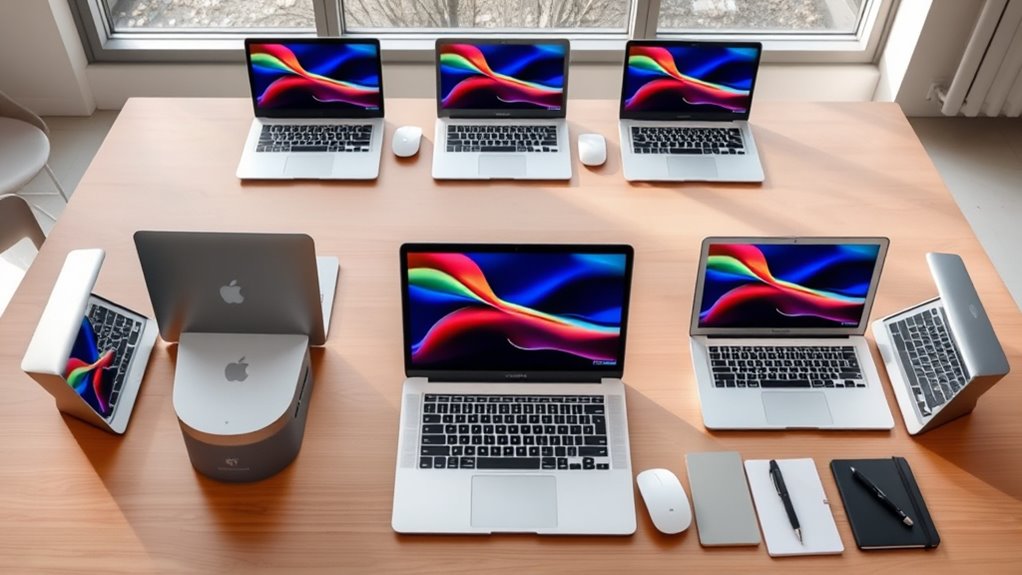

Shopping for 2TB MacBook Air laptops in 2026 comes down to one central tradeoff: Apple charges a steep premium for high-capacity storage in the Air, so your real decision is which chip, memory tier, and screen size justify that 2TB SSD. My top pick is the 13-inch MacBook Air with M5, 32GB memory, and 2TB SSD, because it pairs the huge storage with enough RAM to stay useful for years. If you want a bigger canvas, the MacBook Air 15-inch with M5 and 2TB adds screen real estate without leaving the Air lineup. Buyers who need serious GPU muscle should look at the MacBook Pro M5 Pro with 2TB, while budget hunters can save with the renewed M2 and M1 models. Keep reading for the full breakdown of where each configuration makes sense.

Get baking supplies delivered free with Prime
- Fast, free delivery on millions of items
- Prime Video, Amazon Music and more included
- Member-only deals all year
Complete the kit


Key Takeaways
- The 13-inch M5 Air with 32GB of memory took the top spot because 2TB storage signals long-term ownership, and matching that storage with extra RAM protects the investment better than the 24GB configurations.
- Two renewed models (M1 and M2 Airs with 2TB) are the only genuinely budget-friendly paths to 2TB storage, but both carry battery-health and warranty caveats that new models avoid.
- The 15-inch M5 Air and the 14.2-inch MacBook Pro M5 Pro split the ‘bigger machine’ audience: the Air 15 stays fanless and light, while the Pro adds sustained performance and a better display for color work.
- The M5 Max 16.2-inch MacBook Pro with 48GB memory is massively overqualified for typical Air shoppers — it only earns its price if you edit 4K/8K video or run heavy 3D workloads on that 2TB drive.
- Apple‘s unified memory architecture means the 16GB in the renewed M1 model will bottleneck the 2TB SSD’s usefulness for creative software years before storage fills up.



| 2tb macbook air laptop | Memory | Storage | Chip | Display |
|---|---|---|---|---|
| Apple 14.2-inch MacBook Pro wi | 24GB unified memory | 2TB SSD | Apple M5 Pro, 15-core CPU | 14.2-inch Liquid Retina XDR |
| Apple 2022 MacBook Air 13-inch | 24GB RAM | 2TB SSD | — | 13.6-inch Liquid Retina, 2560 × 1664, 224 ppi, 500 nits |
| 13-inch MacBook Air with M5 | 32GB | 2TB SSD | Apple M5 | — |
| Apple MacBook Air 13-inch with | 24GB unified memory | 2TB SSD | Apple M5 | 13.6-inch Liquid Retina |
| Apple MacBook Air | 16GB RAM | 2TB SSD | — | 13.3-inch Retina with P3 wide color |
| Apple MacBook Air 15-inch with | 24GB unified memory | 2TB SSD | Apple M5 | — |
| Apple 2026 MacBook Pro 16.2" L | 48GB Unified Memory | 2TB SSD | Apple M5 Max (18-core CPU, 40-core GPU) | 16.2-inch Liquid Retina XDR, 1600 nits peak brightness |
More Details on Our Top Picks
Apple 14.2-inch MacBook Pro with M5 Pro, 15-core CPU, 16-core GPU, 24GB Memory, and 2TB SSD
The M5 Pro MacBook Pro is the 2TB pick for people whose projects need more graphics power and connection options than a MacBook Air provides. Its Liquid Retina XDR display and support for up to three external displays suit demanding visual workflows, while the SDXC slot and HDMI port reduce the need for adapters. Compared with the 13-inch MacBook Air with M5 and 32GB memory, this Pro has a stronger listed GPU configuration and more built-in ports, but less memory and a larger, heavier body. Its 24GB memory and 2TB SSD offer substantial working space, though buyers focused on portability may prefer an Air. The product data describes battery life as all-day without specifying runtime, so I would not choose it based on a precise endurance expectation.
Pros:- M5 Pro with a 15-core CPU and 16-core GPU is aimed at demanding creative and AI workloads
- Liquid Retina XDR display offers high contrast for visual work
- Three Thunderbolt 5 ports, HDMI, and SDXC provide flexible peripheral connections
- Supports up to three external displays
Cons:- At 3.52 pounds, it is heavier than the listed MacBook Air options
- Its 24GB memory is lower than the 32GB configuration of the 13-inch M5 MacBook Air
- Battery runtime is described only as all-day, with no specific duration provided
Best for: Creative professionals who need a high-contrast display, multiple external displays, and direct connections for cards and HDMI devices.
Not ideal for: Air-first travelers who prioritize a lighter laptop and do not need the Pro’s display or broad port selection.
- Chip:Apple M5 Pro, 15-core CPU
- GPU:16-core GPU
- Display:14.2-inch Liquid Retina XDR
- Memory:24GB unified memory
- Storage:2TB SSD
- Wireless:Wi-Fi 7 and Bluetooth 6
- Ports:Three Thunderbolt 5, MagSafe 3, SDXC, HDMI, headphone jack
- Weight:3.52 pounds
Our verdict“Choose this MacBook Pro if your 2TB laptop needs a stronger graphics setup, an XDR display, and built-in ports for creative gear.”
Apple 2022 MacBook Air 13-inch with M2 Chip, 24GB RAM, 2TB SSD, Midnight (Renewed)
This renewed M2 MacBook Air brings a useful mix of 24GB memory and 2TB storage to everyday work, media, and multitasking. Its 13.6-inch, 500-nit Liquid Retina display, 1080p webcam, and four-speaker system make it a more rounded older Air configuration than the renewed M1 MacBook Air, whose listing specifies a smaller display and 16GB memory. The tradeoff is age and condition: this is a renewed 2022 model, so it does not have the newer M5 chip, Wi-Fi 7, or the M5 Air’s current-generation features. Two Thunderbolt 3/USB 4 ports cover common accessories, but buyers with several wired devices may need a hub. I would favor it when the listed memory and storage matter more than having the newest Air generation.
Pros:- 2TB SSD provides substantial space for files and media
- 24GB RAM supports heavier multitasking than the listed renewed M1 Air
- 500-nit Liquid Retina display includes wide color and True Tone
- 1080p webcam and four-speaker audio suit calls and video
Cons:- Renewed condition means it is not a new unit
- M2 generation lacks the newer M5 chip features found in the current Air listings
- Two Thunderbolt 3/USB 4 ports may require a hub for multiple wired accessories
Best for: Buyers seeking a renewed MacBook Air with ample local storage and memory for office work, browsing, and a large media library.
Not ideal for: Shoppers who want a new, current-generation Air, newer wireless standards, or more than two USB-C connections.
- Model year:2022
- Condition:Renewed
- Processor:Apple M2
- Display:13.6-inch Liquid Retina, 2560 × 1664, 224 ppi, 500 nits
- Memory:24GB RAM
- Storage:2TB SSD
- Camera:1080p FaceTime HD
- Ports:Two Thunderbolt 3/USB 4 and 3.5 mm headphone jack
Our verdict“Pick this renewed M2 Air if you want 2TB of storage and 24GB RAM for everyday use and can accept an older, renewed model.”
13-inch MacBook Air with M5, 32GB Memory, 2TB SSD, Midnight
Among these 2TB Airs, this 13-inch M5 configuration stands out for its 32GB of memory, the largest listed amount in the Air group. That extra headroom is most relevant to buyers who keep many demanding apps, large creative files, or AI workloads open at once. Compared with the 24GB M5 MacBook Air, it offers more memory for complex multitasking, while sharing the M5 generation and 2TB capacity. The product data is sparse, though: it does not specify display details, ports, battery life, or camera, so I cannot weigh those against the better-documented 24GB model. I would choose this version for its memory advantage only if that workload benefit is the priority and the missing configuration details are confirmed before purchase.
Pros:- 32GB memory is the highest listed capacity among the Air options
- M5 chip is designed for smooth multitasking and creative workflows
- Neural Engine and GPU Neural Accelerators support AI tasks
- 2TB SSD provides substantial local storage
Cons:- Product details do not specify port selection
- Display, camera, and battery specifications are not provided
- Compared with the 24GB M5 Air listing, the key stated advantage is memory, with few other details for evaluating the difference
Best for: Multitaskers and creative users who need 32GB of memory in a compact 13-inch MacBook Air with 2TB storage.
Not ideal for: Buyers comparing ports, display, camera, or battery life before choosing, since those details are not provided in this listing.
- Display size:13 inches
- Chip:Apple M5
- Memory:32GB
- Storage:2TB SSD
- Color:Midnight
- AI hardware:Neural Engine and GPU with Neural Accelerators
Our verdict“Choose this M5 Air if your workload can use 32GB of memory and you can verify the rest of its configuration.”
Apple MacBook Air 13-inch with M5 chip, 24GB memory, 2TB SSD, Midnight
This 13.6-inch M5 MacBook Air is the most balanced Air in this group: it pairs 2TB storage and 24GB unified memory with a clearly specified display, ports, camera, and wireless features. Its stated battery life of up to 18 hours and support for two external displays add practical flexibility for work away from a desk. Compared with the 32GB M5 Air, it gives up memory headroom but comes with more complete published details, making it easier to judge as an everyday all-rounder. The two Thunderbolt 4 ports are its main connection limit, and battery life varies with use. Buyers who need more graphics-focused hardware or a wider port selection could look to the M5 Pro MacBook Pro, though that model is heavier and no longer an Air.
Pros:- M5 chip, 24GB unified memory, and 2TB SSD form a capable everyday configuration
- Up to 18 hours of stated battery life supports long stretches away from power
- 12MP Center Stage camera and Wi-Fi 7 are specified
- Supports up to two external displays
Cons:- Two Thunderbolt 4 ports limit direct wired connections
- Has 8GB less memory than the listed 32GB M5 Air
- Battery life varies by use
Best for: Buyers who want a current-generation 2TB MacBook Air for mixed work, travel, and occasional use with external displays.
Not ideal for: Users running memory-heavy creative projects who would benefit from 32GB, or people who regularly connect several wired peripherals.
- Chip:Apple M5
- Display:13.6-inch Liquid Retina
- Memory:24GB unified memory
- Storage:2TB SSD
- Battery life:Up to 18 hours
- Camera:12MP Center Stage
- Ports:Two Thunderbolt 4, MagSafe charging, headphone jack
- Wireless:Wi-Fi 7 and Bluetooth 6
Our verdict“Choose this M5 Air for a well-specified balance of 2TB storage, everyday performance, and portability.”
Apple MacBook Air (2020) 13.3-Inch, M1 Chip, 16GB RAM, 2TB SSD, Space Gray (Renewed)
The renewed M1 MacBook Air is the simplest route in this lineup to a compact laptop with 2TB of storage, but its 16GB of RAM and older chip make it better suited to lighter workloads than the M2 and M5 options. Its 13.3-inch Retina display with P3 wide color and 8-core CPU cover everyday tasks, while the 16-core Neural Engine supports machine-learning features. Compared with the renewed M2 Air with 24GB RAM, this model gives up both memory and a newer processor generation; it also has less specified modern connectivity. The main caution is that it is a renewed 2020 laptop, and the listing names macOS 10.15 Catalina rather than a current operating system version. I would keep it in contention for basic use, not workloads expected to grow.
Pros:- 2TB SSD offers extensive storage for a compact laptop
- M1 8-core CPU is suited to everyday computing
- Retina display supports P3 wide color
- 16-core Neural Engine is included
Cons:- Renewed condition may include prior use
- 16GB RAM is less than the 24GB renewed M2 Air and current M5 Air options
- The listing specifies macOS 10.15 Catalina and does not provide detailed current connectivity standards
Best for: Budget-conscious buyers needing a renewed MacBook for browsing, documents, video calls, and a large local file collection.
Not ideal for: People planning demanding creative or AI workloads, or buyers who require a new laptop with current-generation specifications.
- Model:MacBook Air (2020)
- Condition:Renewed
- Processor:Apple M1 chip, 8-core CPU
- Graphics:Up to 8 GPU cores
- Memory:16GB RAM
- Storage:2TB SSD
- Display:13.3-inch Retina with P3 wide color
- Operating system:macOS 10.15 Catalina
Our verdict“Choose this renewed M1 Air for basic daily computing and 2TB capacity if you are comfortable with older hardware and renewed condition.”
Apple MacBook Air 15-inch with M5 chip, 24GB memory, 2TB SSD, Silver
The 15-inch MacBook Air is the pick for buyers who want a larger canvas without giving up the Air’s fanless, lightweight design. Compared with the 13-inch MacBook Air with M5 and 24GB, you get the same responsive chip and 2TB of storage, but the extra screen real estate makes long writing sessions, spreadsheet work, and photo editing feel far less cramped. The M5’s Neural Engine and GPU Neural Accelerators mean AI-powered apps run smoothly on-device, and 24GB of unified memory keeps creative software like Lightroom and Logic humming alongside a dozen browser tabs. The tradeoff: it’s bulkier than the 13-inch model, and it still lacks the Pro line’s active cooling, so sustained heavy renders will throttle where the 14.2-inch MacBook Pro keeps its pace.
Pros:- Larger 15-inch display improves productivity without adding Pro-line weight
- M5 chip with Neural Engine handles on-device AI tasks smoothly
- 24GB unified memory supports heavy multitasking and creative workflows
- Fanless, silent operation in a slim Silver chassis
Cons:- No active cooling means sustained heavy workloads can throttle performance
- Bigger footprint is less portable than the 13-inch Air with identical internals
Best for: Writers, students, and photographers who want a spacious display and serious storage in a quiet, travel-friendly machine
Not ideal for: Video editors or 3D artists running hours-long exports — the fanless chassis can’t sustain Pro-level performance under continuous load
- Brand:Apple
- Model:MacBook Air
- Display size:15-inch
- Chip:Apple M5
- Memory:24GB unified memory
- Storage:2TB SSD
- Color:Silver
Our verdict“Buy this if you want the roomiest possible Air experience with 2TB of storage; skip it if your work involves sustained rendering that demands Pro-line cooling.”
Apple 2026 MacBook Pro 16.2″ Laptop with M5 Max Chip (18-Core CPU, 40-Core GPU), 48GB Unified Memory, 2TB SSD – Space Black
This is the ceiling of the lineup, and it’s priced accordingly. Where the 15-inch MacBook Air with M5 handles creative work comfortably, the M5 Max with a 40-core GPU and Neural Accelerators in every core is built for on-device AI training, 8K video editing, and driving up to four external displays — a category the Air can’t touch. The Liquid Retina XDR display at 1600 nits peak brightness outclasses any Air panel for HDR grading, and Thunderbolt 5 plus HDMI, SDXC, and MagSafe 3 means fewer dongles. The honest tradeoffs: at 4.73 pounds, it weighs roughly double the Air, and this configuration spends money on GPU cores and memory that casual users will never tap. Compared with the 14.2-inch MacBook Pro with M5 Pro, you’re paying for the larger screen and the Max-tier ceiling.
Pros:- M5 Max chip with 40-core GPU Neural Accelerators enables on-device AI inference and training
- 16.2-inch Liquid Retina XDR display with 1600 nits peak brightness for true HDR work
- Supports up to four external displays via Thunderbolt 5 and HDMI
- All-day battery with consistent performance whether plugged in or not
Cons:- Premium configuration is overkill and costly for non-professional workloads
- At 4.73 pounds, it’s far heavier and less portable than any Air in this roundup
Best for: Professional filmmakers, AI developers, and 3D artists who need on-device AI training and multi-display workstations
Not ideal for: Students and everyday users — the weight and premium configuration are wasted on browsing, documents, and streaming
- Chip:Apple M5 Max (18-core CPU, 40-core GPU)
- Display:16.2-inch Liquid Retina XDR, 1600 nits peak brightness
- Memory:48GB Unified Memory
- Storage:2TB SSD
- Ports:3x Thunderbolt 5, MagSafe 3, SDXC, HDMI, headphone jack
- Wireless:Wi-Fi 7, Bluetooth 6 (Apple N1 chip)
- External Displays:Up to 4
- Weight:4.73 pounds
- Color:Space Black
Our verdict“This is the pick only when your work genuinely demands Max-tier GPU power and a four-display setup; everyone else in this roundup is better served by a lighter, cheaper option.”

How We Picked
My ranking logic starts from a simple premise: anyone buying 2TB of storage plans to keep files, projects, or media libraries locally for years. That means I weighted memory pairing heavily — a 2TB SSD paired with 16GB of RAM creates an awkward mismatch for the photo and video workloads that usually justify 2TB in the first place. I then judged each model on chip generation and sustained performance, since the M5 family offers meaningful gains over M2 and M1 in media engines and efficiency.
Beyond raw specs, I factored in portability, display size, and purchase risk. Fanless Air designs suit travelers and students, while Pro models justify themselves only when thermal headroom matters. For the renewed units, I weighed battery degradation and warranty coverage as real costs, not just discounts. Finally, I asked who each configuration actually serves — a machine that wins on specs but overshoots the buyer’s needs ranks below one that fits them precisely.
| 2tb macbook air laptop | Chip |
|---|---|
| Apple 14.2-inch MacBook Pro wi | Apple M5 Pro, 15-core CPU |
| Apple 2022 MacBook Air 13-inch | — |
| 13-inch MacBook Air with M5 | Apple M5 |
| Apple MacBook Air 13-inch with | Apple M5 |
| Apple MacBook Air | — |
| Apple MacBook Air 15-inch with | Apple M5 |
| Apple 2026 MacBook Pro 16.2" L | Apple M5 Max (18-core CPU, 40-core GPU) |
Factors to Consider When Choosing 2tb Macbook Air Laptops
Before committing to a 2TB configuration, it helps to understand why these machines are priced and positioned the way they are — and where buyers commonly overpay or underbuy.Why 2TB Storage Changes Your Whole Configuration
Choosing 2TB is not a small upgrade — it usually costs as much as a mid-range laptop on its own, so it should reshape every other decision you make. A buyer who needs 2TB almost always works with large media libraries, raw photo archives, video projects, or virtual machines, and those same workloads are memory-hungry. That is why I favor pairing 2TB with at least 24GB of unified memory, and preferably 32GB if you edit video or run pro audio software. A common mistake is maxing storage while skimping on RAM, which leaves you with a machine that can hold everything but struggles to process it. Also remember that Apple’s storage is not upgradeable after purchase — unlike a desktop PC, there is no second slot to fill later. Buy the capacity and memory you’ll need in year four, not year one.
Air Versus Pro: The Fanless Tradeoff
The MacBook Air is fanless, which makes it silent and thin but means it throttles under long, heavy workloads — the chip slows itself to stay cool. For everyday work, web development, writing, and even short photo edits, you will never notice. But if you export long 4K videos, compile large codebases, or run machine-learning models, the sustained performance of a MacBook Pro with active cooling pulls ahead by a wide margin. The Pro also brings a brighter, higher-refresh display and more ports. My advice: be honest about your longest single task, not your average one. If any single job regularly runs your machine hard for more than 15 minutes, the Pro line earns its premium; otherwise the Air delivers nearly identical burst performance in a lighter body.
13-Inch Versus 15-Inch: Portability Versus Workspace
Screen size is the decision people most often regret, in both directions. The 13-inch Air is the classic travel machine — it slips into slim bags and weighs noticeably less over a full day of carrying. The 15-inch Air gives you room for two full documents side by side, a longer timeline view in video editors, and more comfortable code-plus-preview layouts, while still staying fanless and lighter than any Pro. Neither has the Pro’s ProMotion display, so the choice here is purely about workspace versus mobility. Students and commuters tend to be happier at 13 inches; people who mostly work at a desk and occasionally travel tend to prefer 15. If you dock to an external monitor most days, the smaller screen costs you almost nothing.
The Reality of Buying Renewed
The renewed M1 and M2 models in this lineup are the only routes to 2TB that don’t carry Apple’s full upgrade pricing, and for some buyers they’re genuinely smart buys. But you need to go in with clear expectations. Batteries in these machines are consumables — a two- or three-year-old Air may have 85–90% of its original battery health, which can mean 12 hours of real-world life instead of 15. Check the seller’s return window and warranty terms carefully, since coverage varies far more than Apple’s standard one-year policy. Inspect the chassis for screen delamination and keyboard wear, both known weak points on older Airs. If you’re comfortable with those risks, renewed machines deliver remarkable value; if you want zero surprises, buy new.
Chip Generation Matters More Than You’d Expect
Apple’s M-series chips keep the same names but gain real capability each generation — media engines, GPU cores, and power efficiency all improve. The M5 family handles modern codecs and multi-display setups more gracefully than M2 or M1, and it will receive macOS updates for several years longer. That last point matters more for a 2TB machine than a base model, because a long-lived storage-heavy laptop accumulates software and projects you can’t easily move. An M1 Air is still perfectly capable for browsing, writing, and office work in 2026, but pairing 2TB of storage with the oldest silicon in the lineup is a bet against the machine’s own longevity. My general rule: the more storage you buy, the newer the chip should be.
Memory Configurations and the Unified Memory Wildcard
Apple’s unified memory means the CPU and GPU draw from the same pool, which is efficient — but it also means GPU-heavy tasks can eat your RAM faster than on traditional laptops. The 16GB renewed M1 configuration is fine today for light work, but modern creative apps already push against it. 24GB is the sweet spot for most 2TB buyers, and 32GB future-proofs a machine you clearly intend to keep for a long time. The 48GB in the M5 Max model exists for a different audience entirely: people running local AI models, massive sample libraries, or 8K timelines. Don’t pay for memory you won’t use, but remember that unlike storage, you also can’t add it later — and resale value on higher-memory machines tends to hold up better over time.
Frequently Asked Questions
Is it cheaper to buy a 2TB MacBook Air or add external storage to a smaller configuration?
In almost every case, external storage wins on pure cost — a fast 2TB portable SSD costs a fraction of Apple’s internal upgrade pricing. But the tradeoffs are real: external drives add cable management, occupy a Thunderbolt/USB port, and are slower than the internal SSD for video editing scratch disks. Internal 2TB also means your entire photo library, Logic projects, or Xcode builds live in one place, with full-speed access on battery and offline. My rule of thumb is that people who travel constantly or edit media professionally benefit from internal storage, while people with stable desk setups can save substantially with a docked external drive. If you’re unsure, a 1TB internal machine plus a 2TB external often covers both needs for less money.
Will a renewed M1 or M2 MacBook Air with 2TB still get macOS updates for long?
The M1 Air will likely receive macOS updates into the late 2020s based on Apple’s historical support patterns, and the M2 should run a couple of years beyond that. Both remain fully capable of everyday computing in 2026. However, a 2TB machine is usually a keep-it-for-years purchase, and that’s where the calculus shifts — the last two or three years of a machine’s support window often come with reduced feature support and slower performance on newer macOS releases. If you typically replace laptops every four to five years, renewed is a fine gamble. If you plan to ride this purchase for seven or more years, the M5 configurations protect that timeline much better.
Do I really need 32GB of memory, or is 24GB enough with 2TB of storage?
For most people, 24GB paired with 2TB is a balanced configuration — it handles Lightroom libraries, 4K video editing in Final Cut, and heavy multitasking without strain. 32GB earns its premium in specific scenarios: editing multi-cam 4K or any 8K footage, running large Logic Pro sessions with orchestral sample libraries, keeping multiple virtual machines or Docker containers alive, or working with very large datasets. Memory pressure is also cumulative — apps like Chrome, Slack, and design tools quietly consume gigabytes that your creative software then can’t use. If your budget forces a choice, 24GB of memory with 2TB storage is the smarter split for most buyers, but power users who hesitate on this question usually know their workloads justify 32GB.
Should I buy a 15-inch Air with 2TB or step up to the 14-inch MacBook Pro M5 Pro?
These two machines overlap less than their prices suggest. The 15-inch Air is fanless, lighter, and silent — ideal if you value portability and your heavy tasks are short bursts like photo exports or occasional video renders. The 14-inch MacBook Pro with M5 Pro sustains performance under long loads without throttling, has a brighter ProMotion display with better contrast, and includes more ports plus an SD card slot that photographers will use constantly. If you render long videos, compile software, or push the GPU for extended periods, the Pro is worth every extra dollar. If your work is writing, browsing, development, and photo editing, the Air 15 delivers 90% of the experience in a lighter, quieter package.
Is the 16-inch MacBook Pro M5 Max with 48GB overkill if I mainly want the 2TB storage?
Yes — for most shoppers arriving at this roundup through the Air lens, the M5 Max is dramatically more machine than needed. Its 40-core GPU and 48GB of unified memory exist for 8K editing, 3D rendering, and local AI workloads, and paying for them just to get 2TB of storage is an expensive path to capacity. That said, there’s one legitimate use case: buyers who already know they’ll grow into heavy creative or technical work and want one purchase to cover the next six-plus years. For everyone else, the M5 Air with 32GB and 2TB, or the M5 Pro 14-inch, delivers the same storage with money left over for accessories, software, or an external backup drive. Match the chip to your actual workload, not your storage requirement.
Conclusion
For best overall, the 13-inch MacBook Air with M5, 32GB memory, and 2TB SSD is the pick I’d point most buyers toward — it pairs serious storage with a memory tier that keeps it capable for years, all in the Air’s fanless, portable body. The best value goes to the renewed MacBook Air M2 with 24GB and 2TB, which delivers the same storage and most of the performance at a much lower entry point, provided you accept the battery and warranty caveats of buying renewed. For best premium, the MacBook Pro 14.2-inch with M5 Pro justifies its step up with sustained performance and a superior display, while the 16-inch M5 Max with 48GB stands as the extreme choice for professional video and 3D work. Beginners and students are best served by the standard 13-inch M5 Air with 24GB and 2TB — simpler, lighter, and plenty of headroom. And for specific needs: travelers get the 15-inch Air for its bigger screen without Pro weight, and the renewed M1 Air suits light-duty users who just want maximum storage for minimal spend. Whatever you choose, remember that both memory and storage are permanent at purchase — buy for the workload you’ll have in four years, not the one you have today.