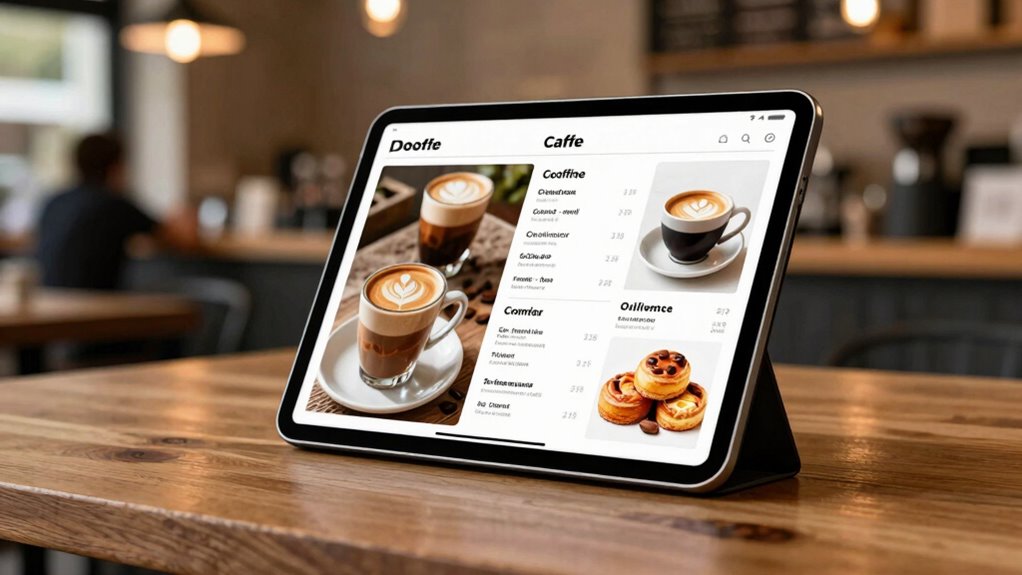

Choosing a tablet for café menu management starts with a practical distinction: do you need a screen that presents a menu, a POS terminal that runs service, or both? I rank the JEESTON 15.6-inch POS terminal first for its readable Full HD display and broad connectivity, while the MR.BOSS POS bundle is a stronger match for cafés that want checkout hardware and ordering features together. For a simpler customer-facing menu, the QIXZOCV 10.1-inch display keeps the footprint compact.

Get baking supplies delivered free with Prime
- Fast, free delivery on millions of items
- Prime Video, Amazon Music and more included
- Member-only deals all year
The tradeoff is between a dedicated menu display and a fuller service setup. Larger POS packages add printers and operational tools, but take up more counter space and depend on compatible software or network access. Smaller signage screens suit menus and promotions but do not replace a complete checkout system. I’ve ordered these picks by how clearly their stated hardware fits common café workflows, while accounting for missing or inconsistent specifications.
Complete the kit


Key Takeaways
- JEESTON offers the most clearly specified menu screen: 15.6 inches, 1920 × 1080 resolution, Android 14, and Ethernet.
- MR.BOSS is the most ready-to-run compact POS bundle here, with a 10.1-inch tablet, receipt printer, rotating stand, and stated QR-ordering support.
- QIXZOCV is a focused indoor counter display, but its listed information omits both resolution and storage.
- PWR4GTR adds battery-powered portability and rotation, though its stated four-to-five-hour battery life and conflicting resolution details limit it for all-day service.
- The 19-inch POS package includes a cash drawer and kitchen printer, making it a service-system choice rather than a simple digital-menu tablet.
| JEESTON 15.6-Inch Android 14 Touchscreen POS Terminal, 1080p, 4GB RAM, 64GB Storage |  | Best Overall for a Readable Café Counter Screen | Screen: 15.6-inch touchscreen | Resolution: 1920 × 1080 | Operating system: Android 14 | VIEW ON AMAZON | See Our Full Breakdown |
| MR.BOSS Mobile POS System with 10.1-Inch Tablet and 2-Inch Receipt Printer |  | Best Compact POS Bundle | Tablet: 10.1-inch Android, 8-core | Printer: 2-inch Bluetooth thermal receipt printer | Stand: Rotating aluminum alloy, 360° | VIEW ON AMAZON | See Our Full Breakdown |
| 19-Inch Touchscreen POS System with Cash Drawer, Receipt Printer, Kitchen Printer, and Ordering Tablet |  | Best Full-Service POS Station | Main display: 19-inch touchscreen | Included system: POS controller and software | Included peripherals: Cash drawer, receipt printer, kitchen order printer | VIEW ON AMAZON | See Our Full Breakdown |
| QIXZOCV 10.1-Inch Android Touchscreen Digital Signage Display |  | Best Simple Indoor Menu Display | Brand and model: QIXZOCV L10.1 | Screen: 10.1-inch touchscreen | Operating system: Android | VIEW ON AMAZON | See Our Full Breakdown |
| PWR4GTR 9.7-Inch Touchscreen Digital Signage Display |  | Best Portable Menu Display | Screen: 9.7-inch IPS capacitive touchscreen | Resolution: Listed as 768 × 1024 and 800 × 1280 | Operating system: Android 11 | VIEW ON AMAZON | See Our Full Breakdown |
| tablets for caf%c3%a9 menu management | Connectivity | Screen | Operating system | Warranty |
|---|---|---|---|---|
| JEESTON 15.6-Inch Android 14 T | Wi-Fi, Bluetooth, Ethernet | 15.6-inch touchscreen | Android 14 | 1 year |
| MR.BOSS Mobile POS System with | Wi-Fi and Bluetooth | — | — | 1-year limited hardware warranty |
| 19-Inch Touchscreen POS System | — | — | — | — |
| QIXZOCV 10.1-Inch Android Touc | Wi-Fi and USB | 10.1-inch touchscreen | Android | — |
| PWR4GTR 9.7-Inch Touchscreen D | 2.4/5 GHz Wi-Fi, Bluetooth, USB-C, MicroSD | 9.7-inch IPS capacitive touchscreen | Android 11 | 1 year |
More Details on Our Top Picks
JEESTON 15.6-Inch Android 14 Touchscreen POS Terminal, 1080p, 4GB RAM, 64GB Storage
I place the JEESTON first because it gives café operators the clearest stated display specification in this group: a 15.6-inch Full HD touchscreen with a 1920 × 1080 resolution. That combination is a better starting point for a menu with sections, modifiers, or item images than the smaller QIXZOCV and PWR4GTR screens, whose descriptions do not offer similarly clear resolution information. Its adjustable viewing angle can also help keep a fixed counter screen legible to staff without forcing a customer-facing setup.
It runs Android 14 on an octa-core processor and includes 4GB of RAM, 64GB of storage, Wi-Fi, Bluetooth, and Ethernet. For menu management, the practical advantage is choice: Ethernet gives a café a wired network option, while support for named POS apps such as Shopify, Loyverse, and SalesPlay makes it more versatile than a signage-only display. I would still check that the specific menu or POS app supports this hardware and Android version before committing.
The compromises matter. Four gigabytes of RAM is a modest allocation if the terminal must run several demanding apps at once, and the listed dimensions of 21 × 21 × 21 inches look unusual for this form factor. Compared with the MR.BOSS bundle, the JEESTON offers a larger, sharper screen and more clearly described ports, but the listing does not include a receipt printer or stand. I see it as the best fit when the screen itself is the priority, not when a café needs an all-in-one checkout kit.
Pros:- 15.6-inch Full HD touchscreen with stated 1920 × 1080 resolution
- Android 14 with 64GB storage
- Wi-Fi, Bluetooth, Ethernet, and multiple ports
- Supports several named POS applications
Cons:- 4GB RAM may constrain heavier multitasking
- Listed 21 × 21 × 21-inch dimensions may be inaccurate
- No printer or cash drawer is listed as included
Best for: Cafés that want a larger, clearly specified Android touchscreen for menu display or compatible POS apps, with wired Ethernet as an option.
Not ideal for: Operators seeking a complete package with receipt printer, cash drawer, and ordering peripherals included.
- Screen:15.6-inch touchscreen
- Resolution:1920 × 1080
- Operating system:Android 14
- Processor:RK3576s octa-core
- Memory and storage:4GB RAM, 64GB storage
- Connectivity:Wi-Fi, Bluetooth, Ethernet
- Ports:2 USB Type-A, HDMI input, RJ45, TF/SD slot, 3.5mm audio
- Warranty:1 year
Our verdict“I’d choose the JEESTON for a café that values a large, well-specified menu and POS screen more than bundled checkout hardware.”
MR.BOSS Mobile POS System with 10.1-Inch Tablet and 2-Inch Receipt Printer
MR.BOSS makes the most sense when café menu management is tied closely to taking orders and completing checkout. The package pairs a 10.1-inch Android tablet with a Bluetooth thermal receipt printer and a rotating aluminum stand, so a small counter can get a more joined-up setup than with the JEESTON terminal alone. Its described software supports checkout, orders, inventory, reporting, tips, and QR-code food orders, giving it broader service ambitions than a basic digital signage screen.
That broader role is the key difference from QIXZOCV. QIXZOCV is a touchscreen for showing supported menu media; MR.BOSS is presented as a POS system that can link menu ordering to payment and printed receipts. It also lists compatibility with optional kitchen and ticket printers, barcode scanners, scales, and payment terminals. Those options may help a café grow its setup, but I would verify which peripherals and payment workflows are supported for the business’s intended region and software plan.
The tablet is smaller than JEESTON’s 15.6-inch panel, and the package details include service caveats. Remote support and iCloud are limited to three months, while the stated $200 refund offer depends on merchant-service enrollment and approval; I would not treat that conditional offer as a core product benefit. The hardware warranty is one year. Compared with the 19-inch POS package, MR.BOSS is the more compact counter choice, but it does not list a cash drawer or kitchen printer in the included components.
Pros:- Tablet, 2-inch Bluetooth receipt printer, and rotating stand included
- Built-in POS features cover checkout, inventory, tips, and reporting
- QR-code ordering is described for dine-in, takeout, and delivery
- Lists compatibility with several optional POS peripherals
Cons:- Remote support and iCloud are limited to three months
- Refund offer depends on merchant-service enrollment and approval
- 10.1-inch screen is smaller than the JEESTON and 19-inch POS display
Best for: Small cafés wanting a compact tablet-and-receipt-printer setup with built-in ordering and checkout features.
Not ideal for: Cafés that need an included cash drawer and kitchen printer, or want a large screen for customer-facing menu presentation.
- Tablet:10.1-inch Android, 8-core
- Printer:2-inch Bluetooth thermal receipt printer
- Stand:Rotating aluminum alloy, 360°
- Connectivity:Wi-Fi and Bluetooth
- Software functions:Checkout, ordering, inventory, reporting, QR-code food orders
- Payment support:Payment terminals, Visa, Mastercard, Google Pay, Apple Pay
- Warranty:1-year limited hardware warranty
- Item dimensions:9.06 × 12.6 × 5.91 inches
Our verdict“I’d pick MR.BOSS when a compact café needs ordering and receipt printing in one described package, rather than a standalone menu screen.”
19-Inch Touchscreen POS System with Cash Drawer, Receipt Printer, Kitchen Printer, and Ordering Tablet
This is the most extensive café service package in the roundup, not the most tablet-like option. It combines a 19-inch touchscreen POS display with a controller and software, cash drawer, customer receipt printer, kitchen order printer, and wireless ordering tablet. A café setting up a staffed till and a route for orders to reach the kitchen may find that collection more relevant than choosing a small signage screen and sourcing each component separately.
The wireless tablet has a useful second role: the description says it can support order taking, programming, and viewing sales. That flexibility separates this package from MR.BOSS, whose included hardware is more compact and centered on a tablet and receipt printer. The 19-inch display is also much larger than either device’s 10.1-inch screen, which can be helpful for staff working through menu categories or tickets. The kitchen printer cord is listed at 25 feet, offering some placement flexibility within the room.
The central limitation is that wireless ordering requires a Wi-Fi network. A café should check network coverage where staff will take orders, along with the software’s fit for its menu and payment process. The description does not specify the ordering tablet’s screen size, operating system, or the main display’s resolution, so I would ask for those details before relying on it for a particular app. Compared with JEESTON, this package adds core POS peripherals but provides fewer published display and tablet specifications; it is a better fit for a whole-counter workflow than for a narrow menu-signage brief.
Pros:- Includes a 19-inch touchscreen POS display and controller
- Cash drawer, receipt printer, and kitchen printer are included
- Wireless ordering tablet can also support programming and sales viewing
- 25-foot kitchen printer cord offers placement flexibility
Cons:- Wireless ordering requires a Wi-Fi network
- Ordering tablet screen and operating system are not specified
- Main display resolution is not stated
Best for: Cafés building a staffed service counter that need a main POS, cash drawer, receipt printing, kitchen tickets, and wireless order-taking hardware.
Not ideal for: Small counters seeking only a compact menu display, or cafés without dependable Wi-Fi for wireless ordering.
- Main display:19-inch touchscreen
- Included system:POS controller and software
- Included peripherals:Cash drawer, receipt printer, kitchen order printer
- Ordering device:Wireless ordering tablet
- Wireless requirement:Wi-Fi network required for wireless ordering
- Kitchen printer cord:25 feet
- Tablet functions:Ordering, programming, and viewing sales
Our verdict“I’d choose this package over the smaller MR.BOSS bundle when a café needs a fuller counter-and-kitchen POS station and can support its Wi-Fi requirement.”
QIXZOCV 10.1-Inch Android Touchscreen Digital Signage Display
QIXZOCV is the clearest fit for a café that wants to show a digital menu or notice at a counter without buying a complete POS system. Its 10.1-inch touchscreen supports tap and swipe navigation, while Wi-Fi and USB provide two ways to connect or manage supported media. The intended use includes indoor restaurant counters, which makes it more purpose-aligned as a compact customer-facing display than the POS-focused JEESTON or the large 19-inch station.
That narrow purpose is also its strength and limit. For a short menu, daily special, promotion, or rotating notice, a tabletop screen can be easier to place than a full POS terminal. Its touchscreen provides more interaction than a passive display, but the product description does not establish what menu software comes installed, whether updates can be scheduled, or how much local content it can hold. I would confirm compatibility with the café’s chosen signage app before treating it as a managed menu platform.
The listing leaves out two basics that make screen planning harder: resolution and storage capacity. Those omissions matter more for a menu with small type or detailed food photography than for simple text and a few images. Compared with PWR4GTR, QIXZOCV does not list a battery, so I would treat it as a fixed counter device rather than a portable display. It is also indoor-only. I rank it below the more fully specified JEESTON and the more portable PWR4GTR, but it remains the straightforward signage pick if the goal is a compact indoor screen rather than checkout hardware.
Pros:- Compact 10.1-inch tabletop touchscreen
- Touch interaction supports tap and swipe navigation
- Wi-Fi and USB connectivity
- Designed for indoor restaurant counters and similar spaces
Cons:- Resolution and storage capacity are not specified
- Intended for indoor use
- Description does not identify included menu-management software
Best for: Cafés that need a compact, fixed indoor touchscreen to present simple menus, notices, or promotions at a counter.
Not ideal for: Operators who need a bundled POS, all-day battery operation, or confirmed screen resolution and storage capacity.
- Brand and model:QIXZOCV L10.1
- Screen:10.1-inch touchscreen
- Operating system:Android
- Connectivity:Wi-Fi and USB
- Touch input:Yes
- Intended setting:Indoor counters, shelves, and reception desks
- Dimensions:24 in L × 11 in W
- Color:Black
Our verdict“I’d choose QIXZOCV for a simple indoor counter menu when compact signage matters more than a full POS or detailed hardware specifications.”
PWR4GTR 9.7-Inch Touchscreen Digital Signage Display
PWR4GTR is the most flexible choice for a café that may move its screen between a counter, a pop-up service table, or an event. Its built-in 3000 mAh battery is rated for four to five hours, and gravity-sensing auto-rotation can adapt the screen orientation to different content. Wi-Fi, Bluetooth, USB-C, MicroSD, app downloads, and wireless casting offer more connection routes than the QIXZOCV listing describes.
That makes it a more capable portable signage option than a fixed display, but not necessarily a better everyday counter screen. The battery rating is limited to part of a typical service day, so I would plan for a power connection or regular charging if it will remain on display through long café hours. Its 9.7-inch panel is also the smallest here, slightly below QIXZOCV’s 10.1 inches and well below the JEESTON or 19-inch POS screen. It suits a focused menu or promotional loop better than a crowded menu that needs large text.
The specifications call out conflicting native resolution figures: 768 × 1024 and 800 × 1280. I would confirm the actual resolution before choosing it for detailed food photography or small lettering. The 2GB of RAM and 32GB storage are also modest beside JEESTON’s 4GB and 64GB, while Android 11 is older than JEESTON’s Android 14. It ranks as the portable pick rather than the strongest fixed display: more flexible than QIXZOCV, but less suitable for uninterrupted daily service.
Pros:- Built-in battery rated for four to five hours
- Gravity-sensing auto-rotation
- Wi-Fi, Bluetooth, USB-C, MicroSD, and wireless casting
- Android app downloads are supported
Cons:- Battery life may not cover a full café service day
- Product information lists inconsistent resolution figures
- 2GB RAM and 32GB storage are modest for heavier app use
Best for: Cafés that need a portable digital menu or promotion screen for shorter shifts, temporary counters, or events.
Not ideal for: A fixed all-day menu display, demanding multitasking, or buyers who need verified resolution and longer untethered operation.
- Screen:9.7-inch IPS capacitive touchscreen
- Resolution:Listed as 768 × 1024 and 800 × 1280
- Operating system:Android 11
- Processor:RK3566
- Memory and storage:2GB RAM, 32GB storage
- Battery:3000 mAh; rated for 4–5 hours
- Connectivity:2.4/5 GHz Wi-Fi, Bluetooth, USB-C, MicroSD
- Warranty:1 year
Our verdict“I’d choose PWR4GTR over QIXZOCV when portability and battery operation matter, but not as my first choice for a permanently powered, all-day menu screen.”
How We Picked
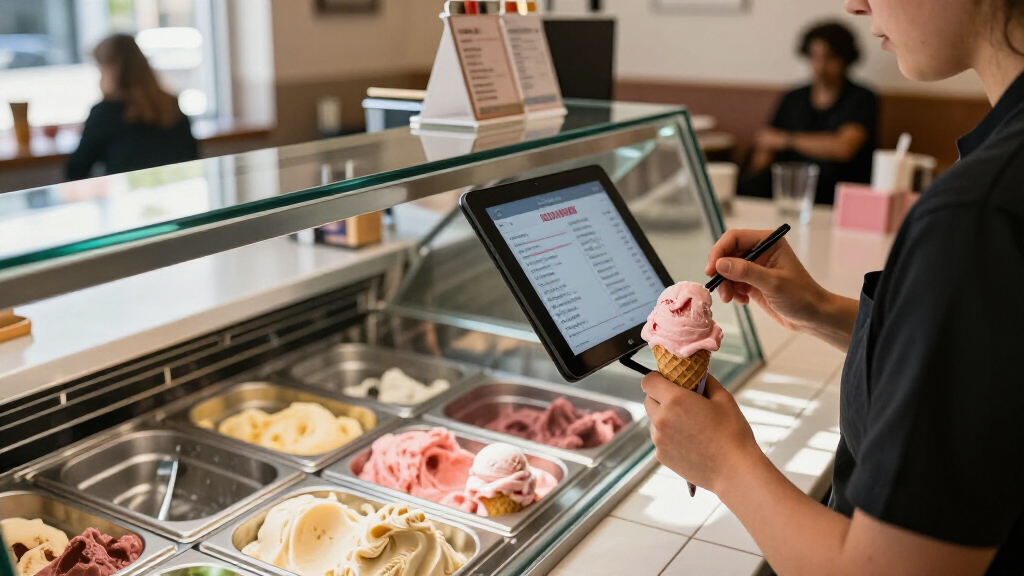
I ranked these products by how well their described hardware matches café menu management: presenting readable menus, updating or displaying content, supporting customer or staff interaction, and fitting into a real counter workflow. A menu screen and a POS terminal solve different problems, so I did not treat bundles with printers and drawers as automatic upgrades over simpler signage displays.
I gave weight to screen size and stated display details, connectivity, included accessories, operating system information, and whether the description names useful menu or service functions. I also considered the friction a café may face: a Wi-Fi dependency, restricted support period, modest battery life, or specifications that are absent or inconsistent. Where product information does not state resolution, storage, or other details, I call that out rather than assume a capability.
The order reflects fit and clarity, not a claim that one device will work with every café’s software. JEESTON ranks first because it combines a comparatively large Full HD touchscreen with several connection options. MR.BOSS follows as a more complete compact service bundle. The 19-inch package is suited to a café building around a full POS station; QIXZOCV and PWR4GTR are more focused display choices, with the latter’s battery making it the portable pick.
| tablets for caf%c3%a9 menu management | Operating system |
|---|---|
| JEESTON 15.6-Inch Android 14 T | Android 14 |
| MR.BOSS Mobile POS System with | — |
| 19-Inch Touchscreen POS System | — |
| QIXZOCV 10.1-Inch Android Touc | Android |
| PWR4GTR 9.7-Inch Touchscreen D | Android 11 |
I would start by deciding whether the screen is meant to show a menu, help staff take orders, or run the whole counter. These jobs overlap, but the products here are not interchangeable: signage displays are simpler and smaller, while POS systems bring printers, order workflows, and other equipment at the cost of space and setup complexity.
Choose between signage and a POS terminal
If customers mainly need to read a menu or see promotions, a signage-focused device such as QIXZOCV or PWR4GTR is the closer match. The QIXZOCV is an indoor counter display; PWR4GTR adds a battery for temporary placement. Neither description establishes a complete checkout system. For staff checkout and service tasks, MR.BOSS and the 19-inch package list POS features and peripherals, while JEESTON is a terminal that supports named POS apps but does not include a printer or drawer.
I would not pay for more system than the café will use. A small counter with a short menu may need a readable display and a content app, not a full cash drawer and kitchen printer. A café handling table orders, receipts, or kitchen tickets may benefit more from a POS bundle than from a second-purpose signage screen.
Match screen size and resolution to the menu
A larger screen can make it easier to show categories, item descriptions, and images without shrinking the text. JEESTON’s 15.6-inch Full HD panel has the most detailed display specification in this lineup. The 19-inch package offers the largest stated screen, although its resolution is not provided. The 9.7- and 10.1-inch displays are better suited to shorter menus, specials, or compact counter placements than dense, multi-section layouts.
Do not treat an unspecified resolution as proof of poor quality, but do treat it as an unanswered question. QIXZOCV does not list resolution, and PWR4GTR gives two different figures. If image clarity or small menu text matters, I would seek confirmation before purchase. A clean layout with large lettering can matter as much as screen size, especially when customers read it from a short distance.
Check software fit before relying on menu features
Hardware running Android does not guarantee compatibility with every menu, ordering, or POS app. JEESTON names several supported POS applications, while MR.BOSS describes built-in checkout and ordering software. The 19-inch package includes POS software, but the supplied information does not name its platform or explain its app compatibility. For QIXZOCV and PWR4GTR, I would confirm how menus are created, updated, and scheduled.
Before choosing, write down the functions that matter: changing prices, marking an item unavailable, showing allergen information, updating several screens, or taking QR orders. Then confirm that the software handles those tasks and that staff can access the account or content tools. A screen’s Wi-Fi connection is useful only if the management workflow is clear and dependable for the café.
Plan counter space, power, and network access
Measure the counter and account for the stand, cables, printer, and customer reach—not just the screen diagonal. The MR.BOSS bundle is designed as a compact POS setup, while the 19-inch system needs more room for its main display and included components. JEESTON lists a dimension figure that may be inaccurate, so I would verify its physical size before planning a fixed installation.
Power and connectivity can change the best choice. PWR4GTR’s four-to-five-hour battery rating supports temporary use, not carefree all-day operation. The 19-inch system requires Wi-Fi for wireless ordering, while JEESTON also has Ethernet for a wired connection. If the café’s Wi-Fi is weak near tables or the kitchen, test coverage or plan a network improvement before depending on wireless orders.
Treat included accessories and support terms as part of the setup
A bundle can reduce the number of separate devices to source, but compare what is truly included. MR.BOSS includes a receipt printer and stand; the 19-inch package adds a cash drawer, receipt printer, kitchen printer, and ordering tablet. JEESTON is a screen terminal without those listed accessories. The apparent all-in-one advantage is useful only if the included equipment suits the café’s existing workflow.
Read support and warranty details alongside the feature list. MR.BOSS states a one-year limited hardware warranty, with some support and iCloud services limited to three months. JEESTON and PWR4GTR list one-year warranties. The descriptions supplied here do not provide the same level of software support detail for every product, so I would confirm what help is available for setup, app compatibility, and ongoing operation.
Frequently Asked Questions
I would start with the QIXZOCV for a fixed indoor counter menu because it is described as a compact digital signage display with Wi-Fi, USB, and touchscreen interaction. PWR4GTR is another signage-oriented option if portability matters, but its battery is rated for only four to five hours and its resolution details conflict. Neither is described as a complete POS package, so confirm what app will manage the menu.
Which option is the strongest choice for checkout and order management?
MR.BOSS combines an Android tablet, receipt printer, rotating stand, and stated checkout, inventory, reporting, and QR-order features in a compact package. The 19-inch POS system includes more counter equipment, including a cash drawer and kitchen printer, so it may fit a café that needs a broader service station. I would check software compatibility, payment workflows, and required network access before choosing either system.
Do I need Wi-Fi for every product on this list?
Wi-Fi is listed for all five products, but the described dependency differs. The 19-inch system specifically requires a Wi-Fi network for wireless ordering; MR.BOSS lists Wi-Fi and Bluetooth; the signage displays list wireless connectivity, and JEESTON also offers Ethernet. If a café depends on mobile ordering or menu updates over a network, I would confirm the exact workflow and test coverage at the intended screen or ordering location.
Which display has the clearest published screen specifications?
JEESTON has the clearest stated display details: a 15.6-inch touchscreen with 1920 × 1080 resolution. The 19-inch package has a larger stated screen but does not list its resolution. QIXZOCV omits resolution, and PWR4GTR lists two inconsistent resolution figures, so I would request clarification on those models if small text or detailed food images are central to the menu.
It depends on power access and operating hours. PWR4GTR’s built-in battery is rated for four to five hours, which may suit an event, temporary counter, or shorter service period, but it may not cover a full day without charging or a power connection. For a permanent menu station, I would favor a powered setup and verify the display’s software, mounting, and network needs rather than relying on battery life alone.
Conclusion
For a café that wants a large, clearly specified screen for menu display or compatible POS apps, I would choose JEESTON, while confirming its dimensions and app fit. If the priority is compact checkout with receipt printing and QR ordering, MR.BOSS is the more relevant bundle. A café equipping a full till and kitchen workflow should compare the 19-inch POS package, especially if its included drawer and printers match existing service needs.
For a simpler fixed digital menu, QIXZOCV is the focused indoor choice, with resolution and storage left as questions to verify. For pop-ups or short periods away from an outlet, PWR4GTR offers the best portability, but its battery limit makes it less convincing as an unattended all-day display. I would choose by workflow first, then confirm software compatibility, screen details, network conditions, and counter fit before settling on hardware.
Halloween Picks
halloween
As an affiliate, we earn on qualifying purchases.